Desktop beta for macOS, Windows & Linux

The line you remember.
The scene you want.

Search your movies and TV by quote, or clip the scene that is playing in Plex. Adjust the cut and save it to your computer.

Your library stays where it is. Clips stay local unless you explicitly share one.

Found in your libraryTrue DetectiveSeason 1 · Episode 5
00:15:24100% match
Search by quoteClip inside PlexPreview the exact cutSave it locally
Start with whatever you have

A line in your head.
Or a scene on screen.

Quote Clipper gives you two direct routes to the trim screen. Search for remembered dialogue, or capture the moment from Plex while you watch.

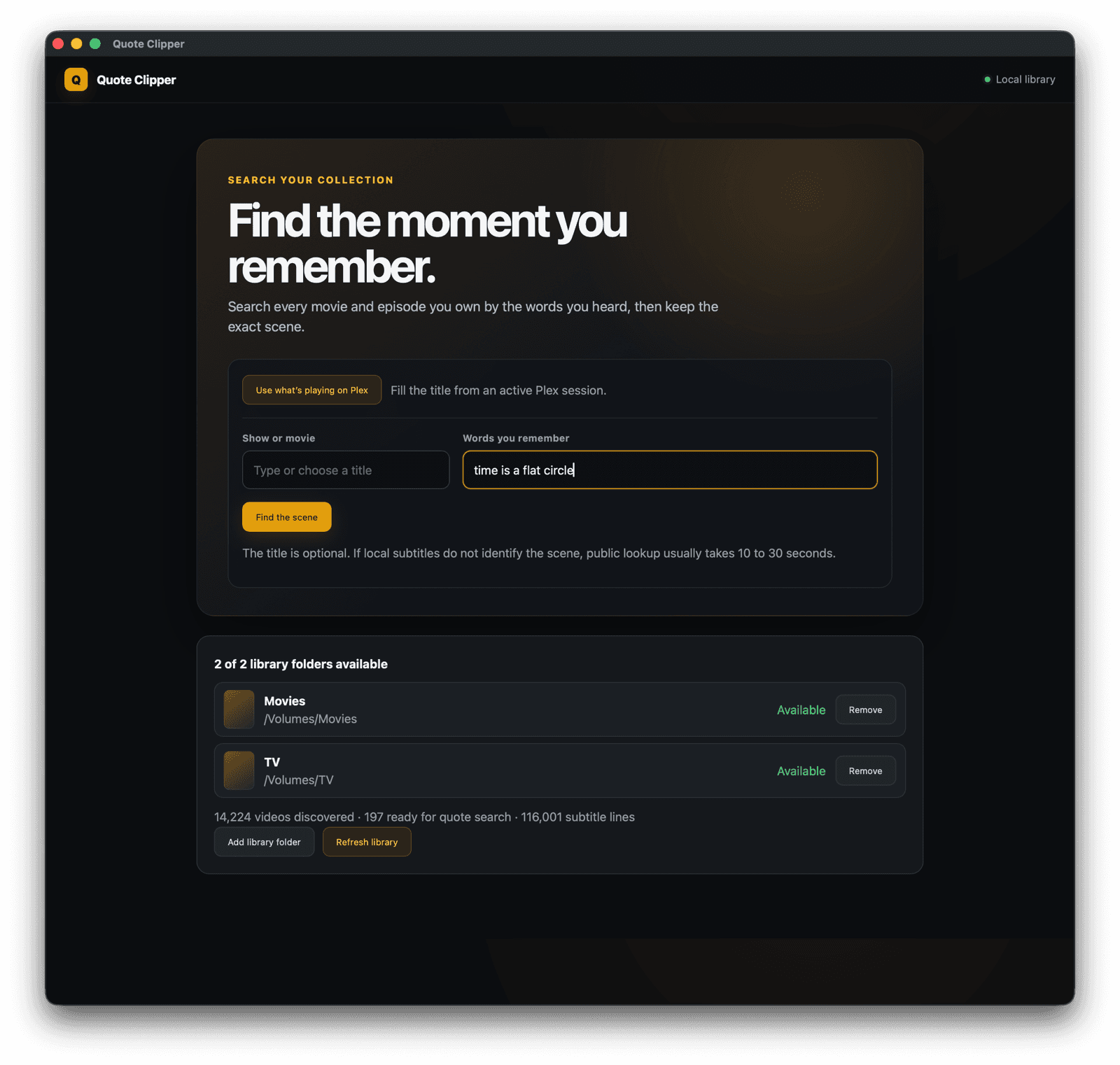
Remembered a quote?

Type the words you heard.

The title is optional. Quote Clipper identifies the movie or episode, locates your copy, and returns the matching time.

Words you remember
time is a flat circle
Find the scene
True Detective · S01E0500:15:24
Already watching in Plex?

The clip button is in the player.

On macOS, tap it to open the current moment. Hold it while the part you want plays, then release to send that exact range to Quote Clipper.

15:24Clip with Quote Clipper
Tap current momentHold capture a range
When the quote is all you remember

It tells you what it is checking.

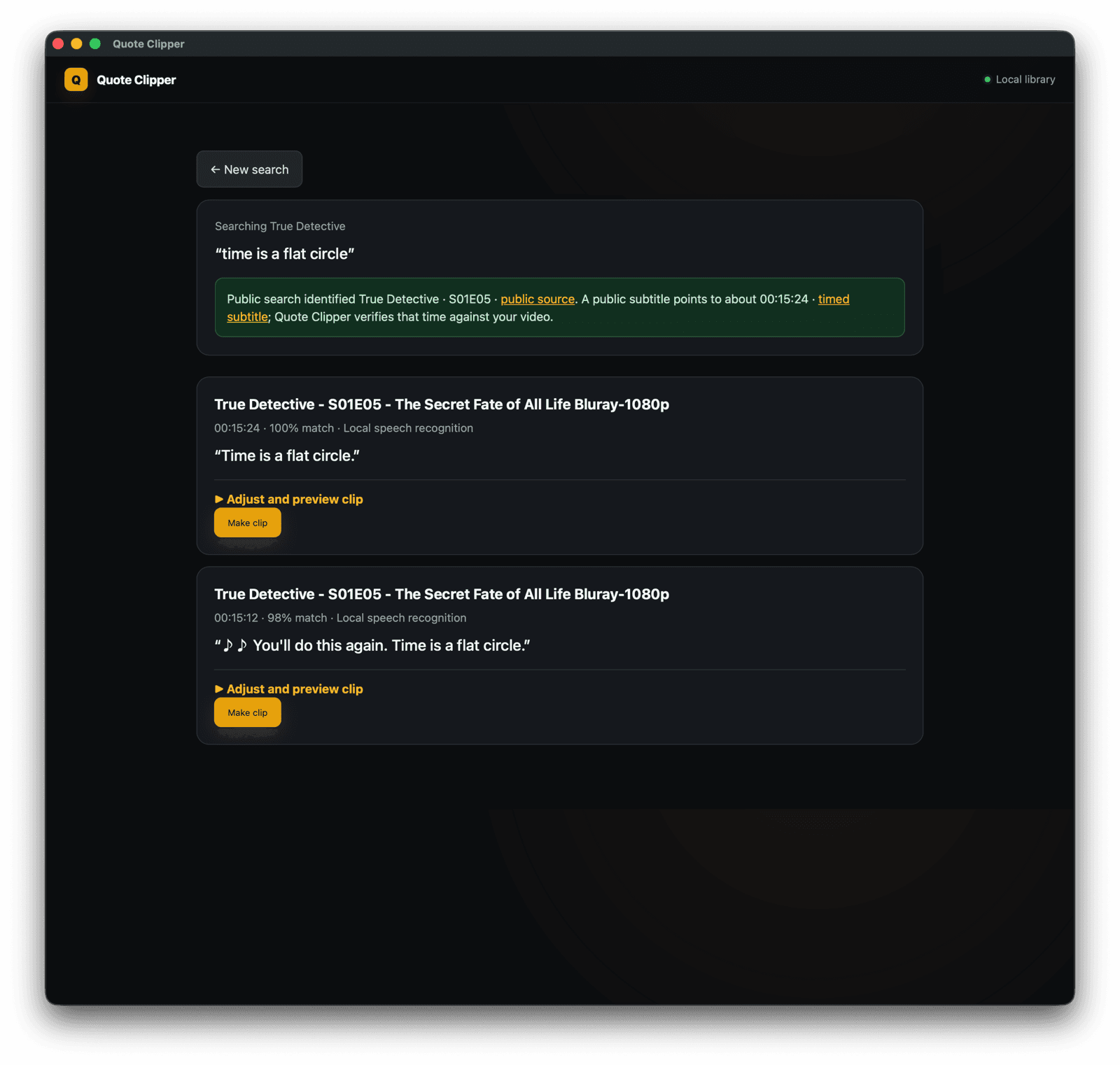
Quote Clipper looks through your available subtitles first. When those are not enough, it can identify the title from public quote data, find that movie or episode in your library, and verify the time against your file.

1 Identify the title2 Find your copy3 Verify the timestamp
Quote Clipper identifies True Detective season 1 episode 5 and finds the quote at 15 minutes 24 seconds
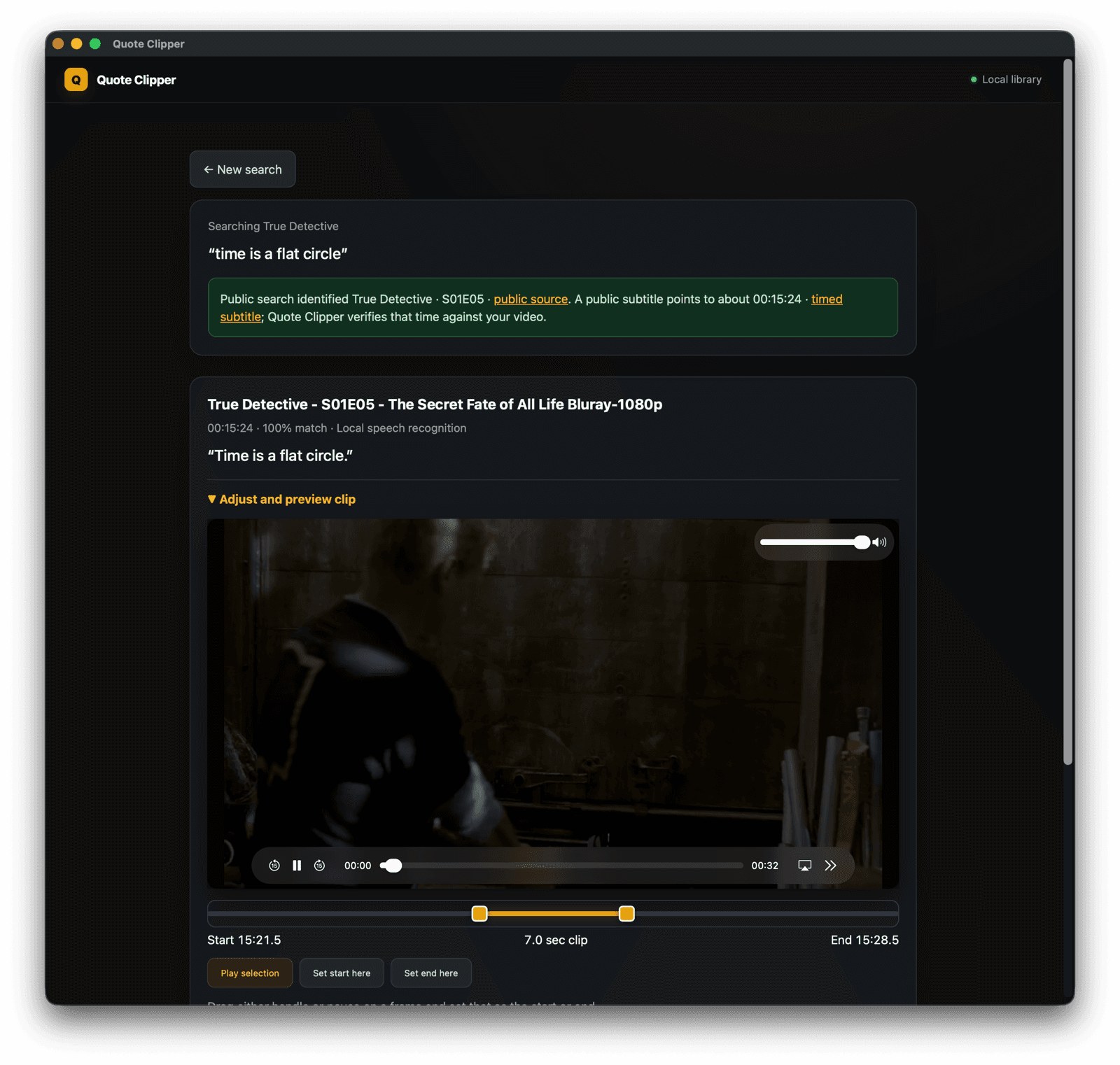
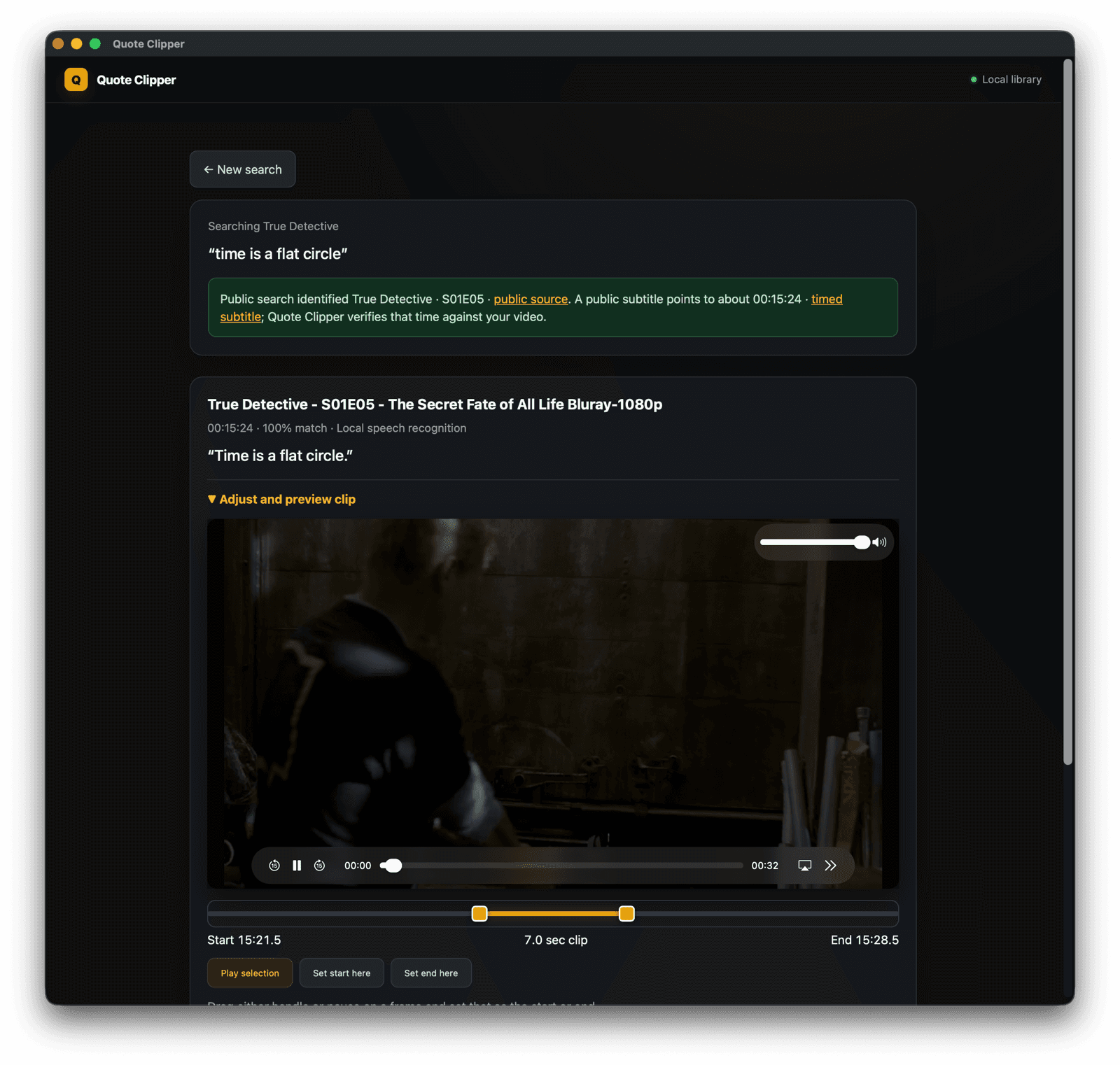
Quote Clipper previewing a found scene with draggable start and end handles
Keep the part you meant

The clip is the yellow part.

The player gives you the surrounding scene for context. Drag either handle, pause on a frame, or set the start and end from the player. Playback and export both follow the highlighted range.

  • Preview before creating the file
  • Hear the original audio
  • Save a shareable MP4 locally
Use the library you already have

No new media system to maintain.

Connect only the folders and services you want Quote Clipper to use. It keeps source videos in place and works from your computer.

01

Your folders, drives, and NAS

Point Quote Clipper at the movie and TV folders you already use. Mounted network shares work like local folders.

02

Your Plex library

Connect Plex to identify what is playing, jump to its current time, and fetch the episode when the local file is not mounted.

03

The song playing now

From a Plex playhead, send a short audio sample to AudD and get the track title. Song recognition is optional and runs only when you ask.

04

A local MP4 when you are done

The source video stays put. Quote Clipper writes only the finished selection to your computer.

Private by default

Your library is not uploaded.

Quote Clipper reads the sources you connect, creates the preview on your computer, and saves the finished clip locally. Public quote lookups send the words you search for, not your video.

Read the privacy details
Open source & community-funded

Keep Quote Clipper free.

Every contribution goes directly to hosting, code-signing certificates, and development. No investors, no ads, just us building this together.

Support with PayPal
bc1q8eca3e8k9nnnmdakahkuuzrcfe77mzeu7dm327
The quote is enough

Go find the scene.

Quote Clipper 2.4 Beta 9 is available now.

Choose your download